Individual Performance
This report allows you to look at an individual employee’s data in relation to their Workgroup and Over time. There are two user filters that you can see for this report. Select the Workgroup in the Employee/ Workgroup Name in the first Filter and then enter the specific employee in the Employee Alternate Filter.
-
Navigate to WorkiQ>Analysis:
-
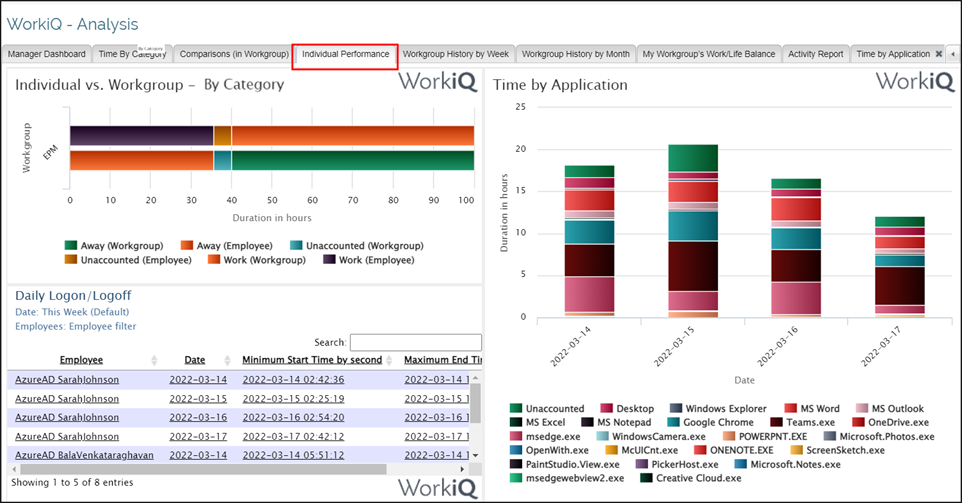
Click on the Individual Performance tab to display the Individual Performance report.
-
The Tab has 3 views:
-
Individual Vs. Workgroup – Category Type,
-
Time by Application,
-
Daily Logon/Logoff.
-
-
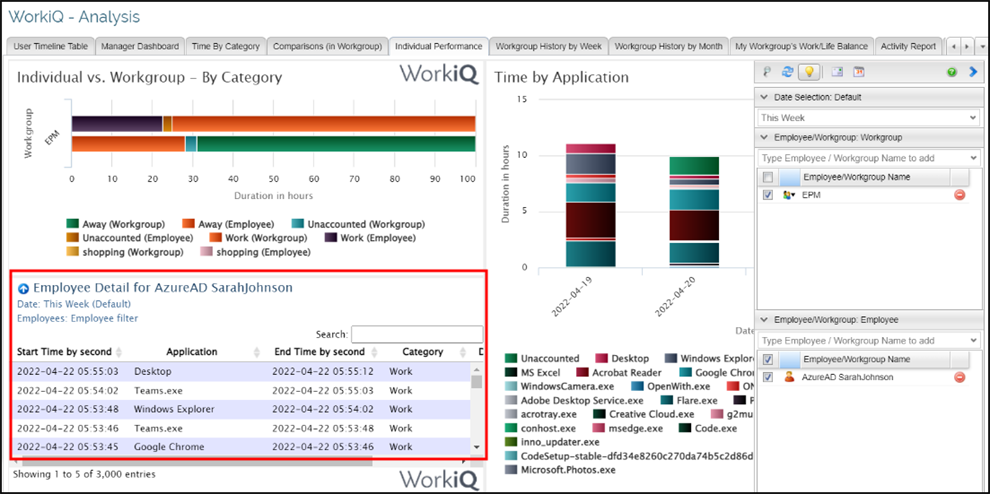
The view for Daily Logon/Logoff has a drill down to view the Employee’s Application Timeline. Clicking on the Employee Name will display the Application Timeline Table for the selected Employee.